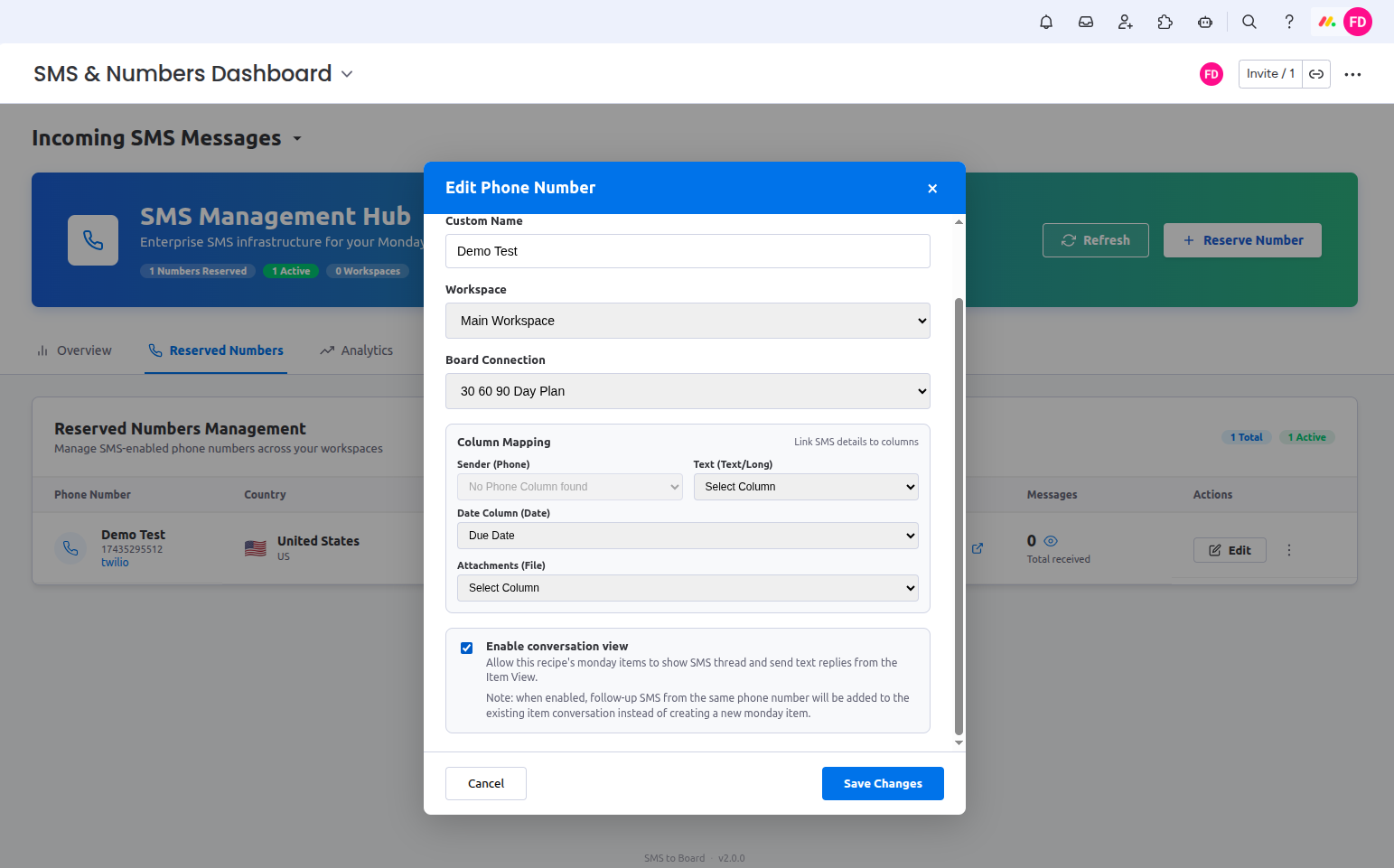
Board SMS Inbox
The Board SMS Inbox gives your team a single, organised view of every incoming and outgoing SMS message across all your reserved numbers — directly inside monday.com. No switching tabs, no missed messages.
One Inbox for All Your SMS Numbers
Every SMS thread — across every reserved phone number — is consolidated into a single, searchable inbox. Assign threads to team members, filter by status, and reply without ever leaving monday.com.
- Unified inbox for all reserved numbers in your workspace
- Reply directly to any SMS thread from the inbox
- Real-time delivery and read status per message
- Search, filter, and sort by sender, date, or status
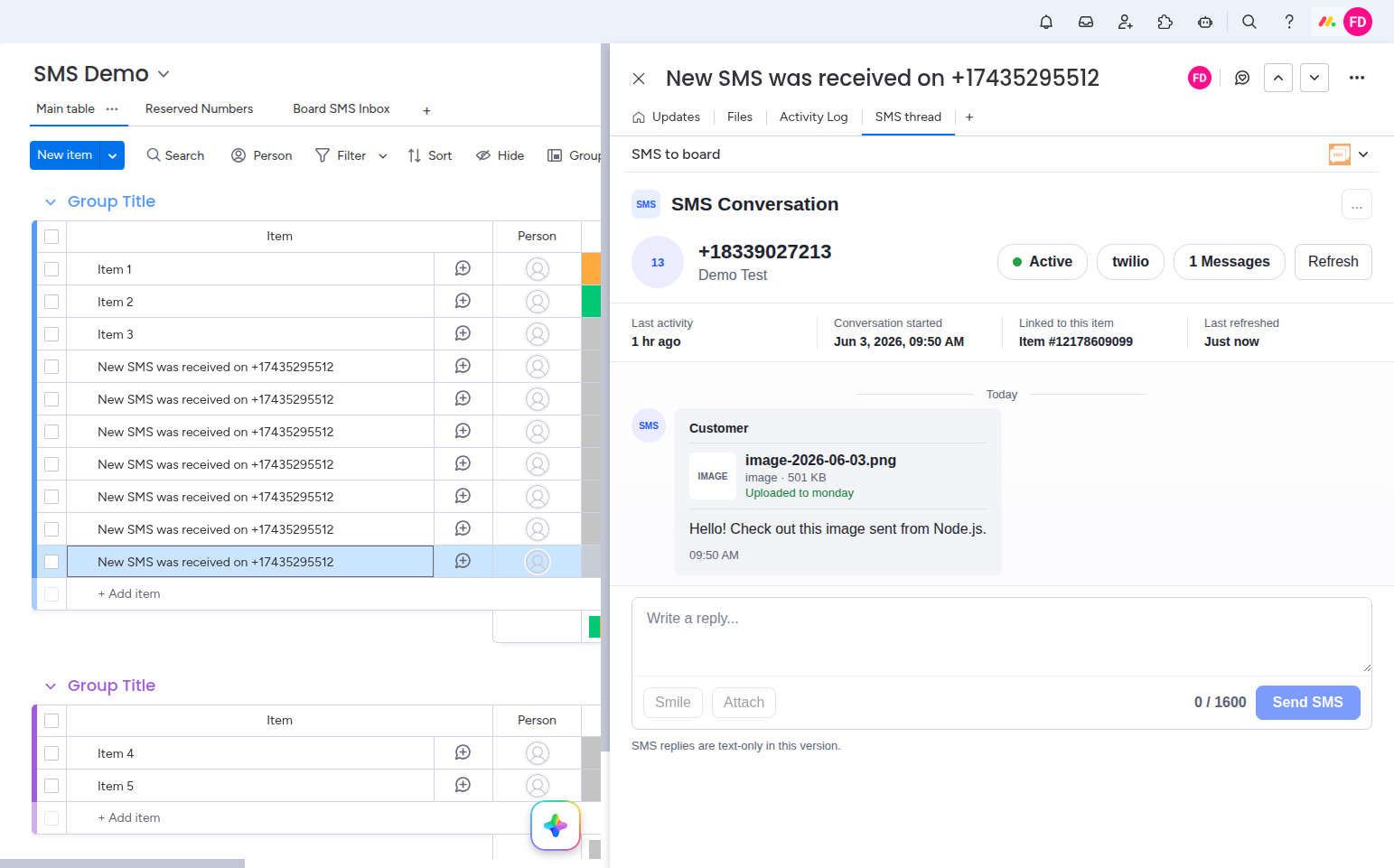
- Every thread automatically linked to its board item
- New message notifications inside monday.com
What the Board SMS Inbox Enables
Smart Search & Filters
Find any message instantly by phone number, keyword, date range, or read/unread status.
In-App Reply
Respond to any SMS thread directly from the inbox without switching to another tool or app.
Board Item Linking
Every inbox thread is automatically linked to its corresponding monday.com board item.
Multi-Number View
See all messages across every reserved number in one unified list, or filter by a specific number.
Live Notifications
Get notified immediately when a new message arrives. Never miss a customer reply again.
Read & Delivery Status
Track delivery confirmation and read receipts for every outbound message you send.
How to Set Up & Use the Board SMS Inbox
From any monday.com board that has SMS to Board installed, click the Board SMS Inbox view tab at the top of your board. This opens the inbox panel for that board.
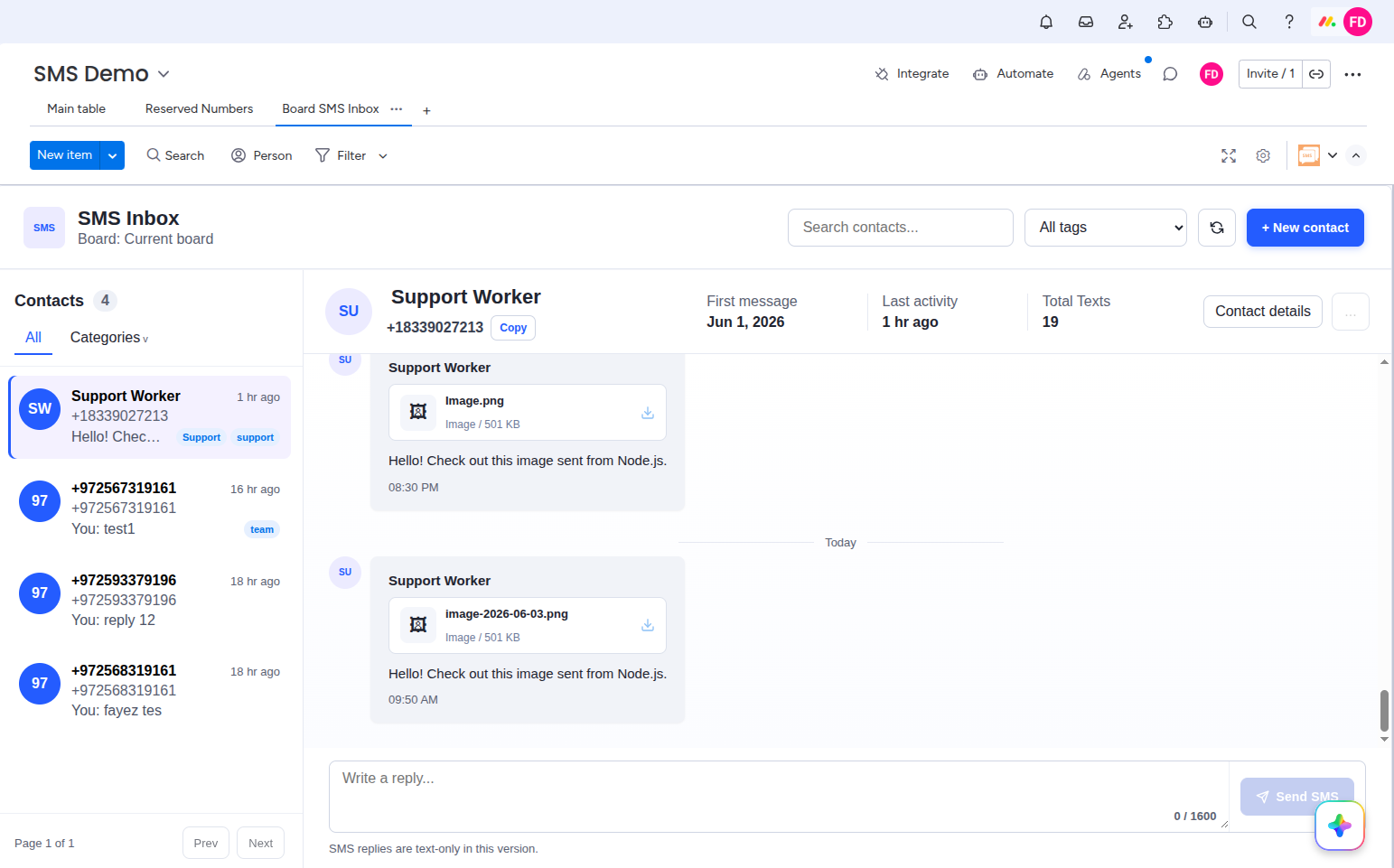
The left panel lists all contacts (senders) who have sent a message to any of your reserved numbers. Each contact shows their phone number, latest message preview, and time. Click any contact to open the full conversation thread on the right.
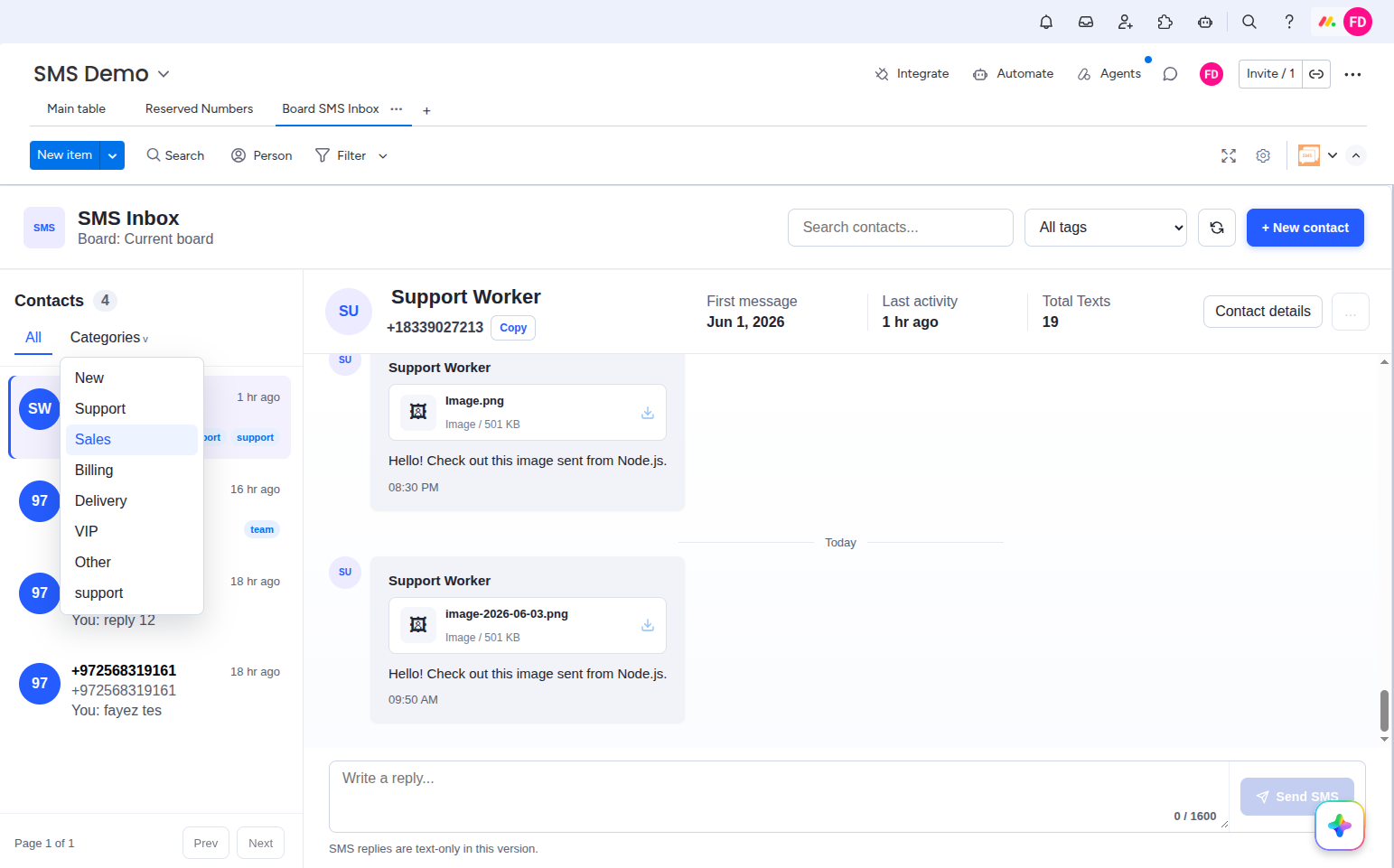
Use the Categories dropdown at the top of the contacts panel to filter by category tags such as Support, Sales, Billing, VIP, and more. This lets your team focus only on the conversations that matter to them.
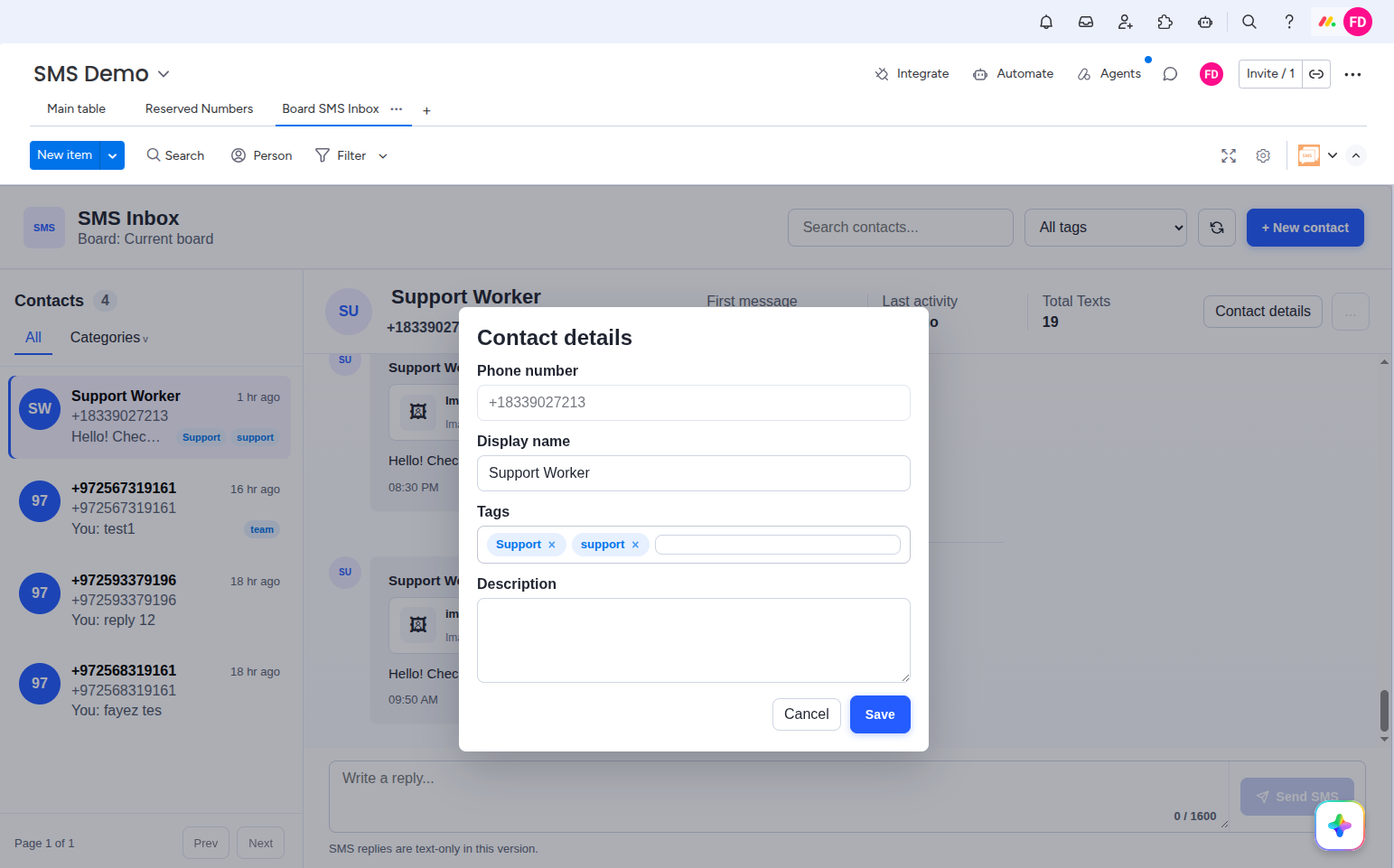
Click Contact details at the top right of any open conversation to open the contact editor. You can set a display name, assign category tags, and add a free-text description. Click Save when done.
With a conversation open, type your reply in the Write a reply… box at the bottom of the thread. Click Send SMS to deliver your message immediately. The reply appears in the thread as a sent message with a read/delivery indicator.